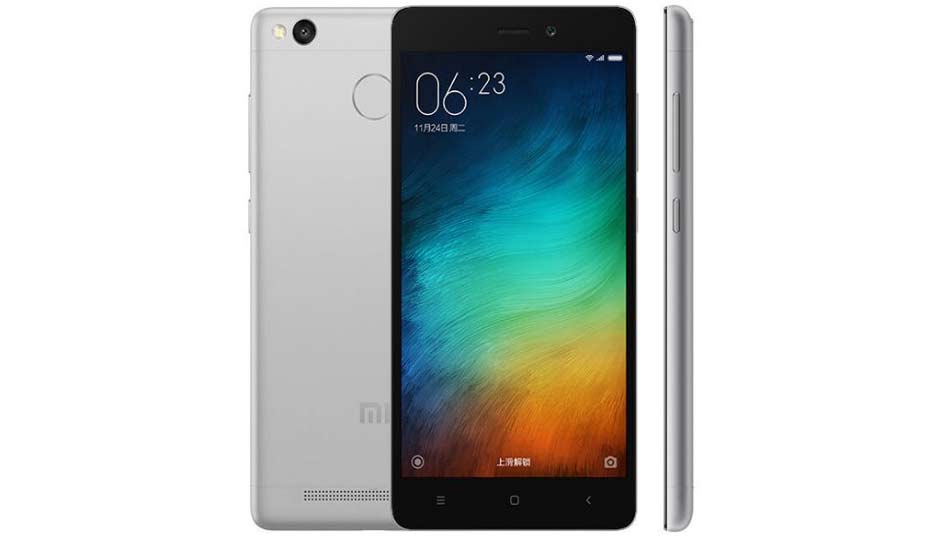
How To Install TWRP Recovery On Redmi 3S/Prime/3X
Hello guys In this video i am going to show you How To Install TWRP Recovery On Redmi 3S/Prime/3X. So guys Redmi 3S/Prime /3X it has same software build and chipset. That's why this trick works on Redmi 3S /Prime /3X as well (100% working method) . So guys today we will install twrp recovery on Redmi 3S /Prime /3X , and root our phone. So follow all the steps properly then you understand How To Install TWRP Recovery On Redmi 3S/Prime/3X.
Xiaomi Redmi 3S/Prime /3X
Released in June 2016, the Xiaomi Redmi 3S/Prime /3X is a budget device which packs in reasonable hardware specifications for the cost. Processing power is supplied courtesy of a Qualcomm Snapdragon 430 SoC, which comprises of a 1.4 GHz octa-core CPU, an Adreno 505 GPU and 2 GB of system RAM. The 16 GB /32 GB of internal storage can be expanded thanks to 256 GB microSD card support. Enclosed within the 144g chassis sits a 5" 720P IPS LCD display, which offer a pixel density of ~294 PPI.
TWRP Recovery For Redmi 3S/Prime/3X

TWRP is an open source, community project.custom recovery is used for installing custom software on your device. This custom software can include smaller modifications like rooting your device or even replacing the firmware of the device with a completely custom "ROM" like OmniROM
How To Install TWRP Recovery On Redmi 3S/Prime/3X
REQUIREMENTS :
1. First unlocked Bootloader Of your phone. If you don't know how to unlock bootloader then watch this video tutorial.
How To Unlock Bootloader Of Redmi Note 3 :
2. PC / computer running windows.
3. TWRP Redmi 3S zip file.
4. Supersu. Zip file.
5. Redmi 3S /Prime /3X. (Don't try this on other phone)

NOTE : I AM NOT RESPONSIBLE FOR ANY DAMAGES OF YOUR PHONE. SO IF YOU WANT TO DO THEN DO IT AT YOUR OWN RISK.
STEP BY STEP TUTORIAL :
1. First unlock your Redmi 3S/Prime/3X bootloader.
2. After unlocking bootloader, go to Phone settings /About Phone /Miui verson. Tap 7 to 8 times on miui verson. Then go back and go to "Aditional settings /Devloper option. And enable" OEM Unlocking” and USB Dibuging”.

3. Now power off your Redmi 3S/Prime/3X, and boot your phone into "Fastboot Mode" for that use krys combinations like,press Volume Down + power key at the same time then you will see like this.

4. Now conect your phone to pc /computer via USB cable. (use better USB cable)
5. Now download "TWRP Redmi 3S. Zip and Supersu.zip" Download both files from the given links below & and save it in to your pc.
6. Now "Extract TWRP Redmi 3S. Zip file" using "winrar or 7zip.
7. Now after extracting it, your will get folder called TWRP Redmi 3S". So open this folder and first install "Fastboot.exe" after that run adb file from this TWRP Redmi 3S. This proces install all the required drivers in your pc which is use for installing twrp on redmi 3S/Prime /3X.
8. Now press SHIFT +Right click /open command window. And type "fastboot devices" and press enter it will show your phone properly connected or not. If you see this numbers that means your phone is connected properly and drivers are installed properly.

9. After your phone connected properly then again open "TWRP Redmi 3S folder there you find" TWRP installer.bat" file. Dable click on that.

10. It will open like this then only press enter 3 times.


11. Now your phone will boot automatically in twrp recovery mode. see your twrp recovery is installed on your phone like this.

12. Now you will this fist scren so swipe it.

13. Now don't disconnect your phone. Now we root our phone. Now coppy your "Supersu. Zip file into your phone memory.
14. Now take your phone and tap on install section and select your supersu.zip file and flash it. It will take some time to flash so wait.


15. Now you will see like this. Don't reboot your system. Now Go back 2 times or go to home of your TWRP recovery. And click on "advanced" then click on "Dm verify" and swipe it. If you not do this then your phone will not boot. So do this step.


16. Now click on Reboot System" Done, now your phone boot fine it will take time up to 10 to - 15 minutes so wait. After that your Redmi 3S/Prime/3X sucrosefully Rooted & TWRP Recovery installed.
ABOUT ME :
I Make Tech Videos Based Around SmartPhones especially Android Devices
Easy To Use Tutorials,Cool Android Tips & Tricks,Games & Apps Reviews.I Also show case interesting accessories & Gadgets
So what are you waiting for S-U-B-S-C-R-I-B-E and Join the best Android Tips and Hacks Channel On Youtube
Mahesh Technicals
Download Links :
1. TWRP Redmi 3S zip file.
LINK - 1:

LINK - 2:
2. Supersu . zip
LINK - 1:
LINK - 2:
3. ADB/Fastboot drivers setup (Additional If your phone not detect by PC):
LINK - 1:
LINK - 2:
Thanks For Reading How To Install TWRP Recovery On Redmi 3S/Prime/3X.
By - Mahesh Technicals
Hello guys In this video i am going to show you How To Install TWRP Recovery On Redmi 3S/Prime/3X. So guys Redmi 3S/Prime /3X it has same software build and chipset. That's why this trick works on Redmi 3S /Prime /3X as well (100% working method) . So guys today we will install twrp recovery on Redmi 3S /Prime /3X , and root our phone. So follow all the steps properly then you understand How To Install TWRP Recovery On Redmi 3S/Prime/3X.
Xiaomi Redmi 3S/Prime /3X
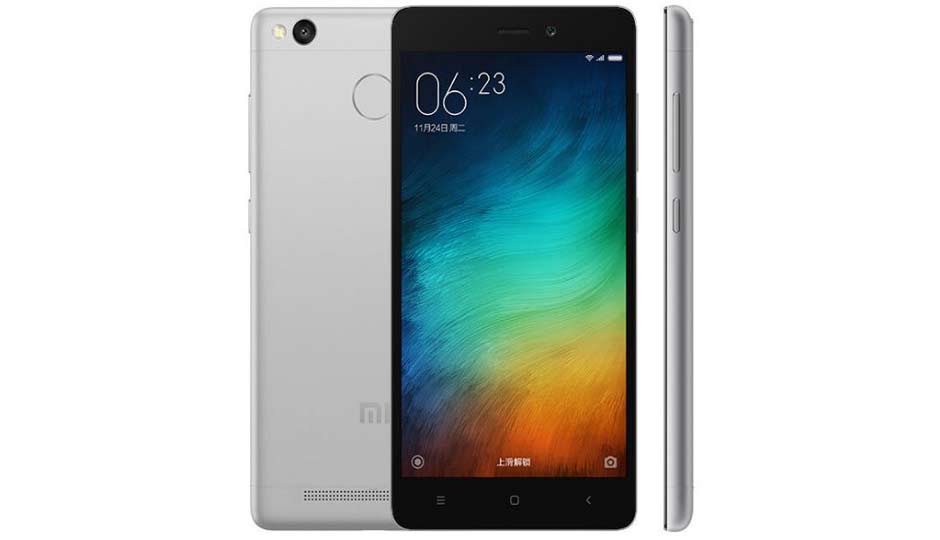
Released in June 2016, the Xiaomi Redmi 3S/Prime /3X is a budget device which packs in reasonable hardware specifications for the cost. Processing power is supplied courtesy of a Qualcomm Snapdragon 430 SoC, which comprises of a 1.4 GHz octa-core CPU, an Adreno 505 GPU and 2 GB of system RAM. The 16 GB /32 GB of internal storage can be expanded thanks to 256 GB microSD card support. Enclosed within the 144g chassis sits a 5" 720P IPS LCD display, which offer a pixel density of ~294 PPI.
TWRP Recovery For Redmi 3S/Prime/3X

TWRP is an open source, community project.custom recovery is used for installing custom software on your device. This custom software can include smaller modifications like rooting your device or even replacing the firmware of the device with a completely custom "ROM" like OmniROM
How To Install TWRP Recovery On Redmi 3S/Prime/3X
REQUIREMENTS :
1. First unlocked Bootloader Of your phone. If you don't know how to unlock bootloader then watch this video tutorial.
How To Unlock Bootloader Of Redmi Note 3 :
2. PC / computer running windows.
3. TWRP Redmi 3S zip file.
4. Supersu. Zip file.
5. Redmi 3S /Prime /3X. (Don't try this on other phone)

NOTE : I AM NOT RESPONSIBLE FOR ANY DAMAGES OF YOUR PHONE. SO IF YOU WANT TO DO THEN DO IT AT YOUR OWN RISK.
STEP BY STEP TUTORIAL :
1. First unlock your Redmi 3S/Prime/3X bootloader.
2. After unlocking bootloader, go to Phone settings /About Phone /Miui verson. Tap 7 to 8 times on miui verson. Then go back and go to "Aditional settings /Devloper option. And enable" OEM Unlocking” and USB Dibuging”.

3. Now power off your Redmi 3S/Prime/3X, and boot your phone into "Fastboot Mode" for that use krys combinations like,press Volume Down + power key at the same time then you will see like this.

4. Now conect your phone to pc /computer via USB cable. (use better USB cable)
5. Now download "TWRP Redmi 3S. Zip and Supersu.zip" Download both files from the given links below & and save it in to your pc.
6. Now "Extract TWRP Redmi 3S. Zip file" using "winrar or 7zip.
7. Now after extracting it, your will get folder called TWRP Redmi 3S". So open this folder and first install "Fastboot.exe" after that run adb file from this TWRP Redmi 3S. This proces install all the required drivers in your pc which is use for installing twrp on redmi 3S/Prime /3X.
8. Now press SHIFT +Right click /open command window. And type "fastboot devices" and press enter it will show your phone properly connected or not. If you see this numbers that means your phone is connected properly and drivers are installed properly.

9. After your phone connected properly then again open "TWRP Redmi 3S folder there you find" TWRP installer.bat" file. Dable click on that.

10. It will open like this then only press enter 3 times.


11. Now your phone will boot automatically in twrp recovery mode. see your twrp recovery is installed on your phone like this.
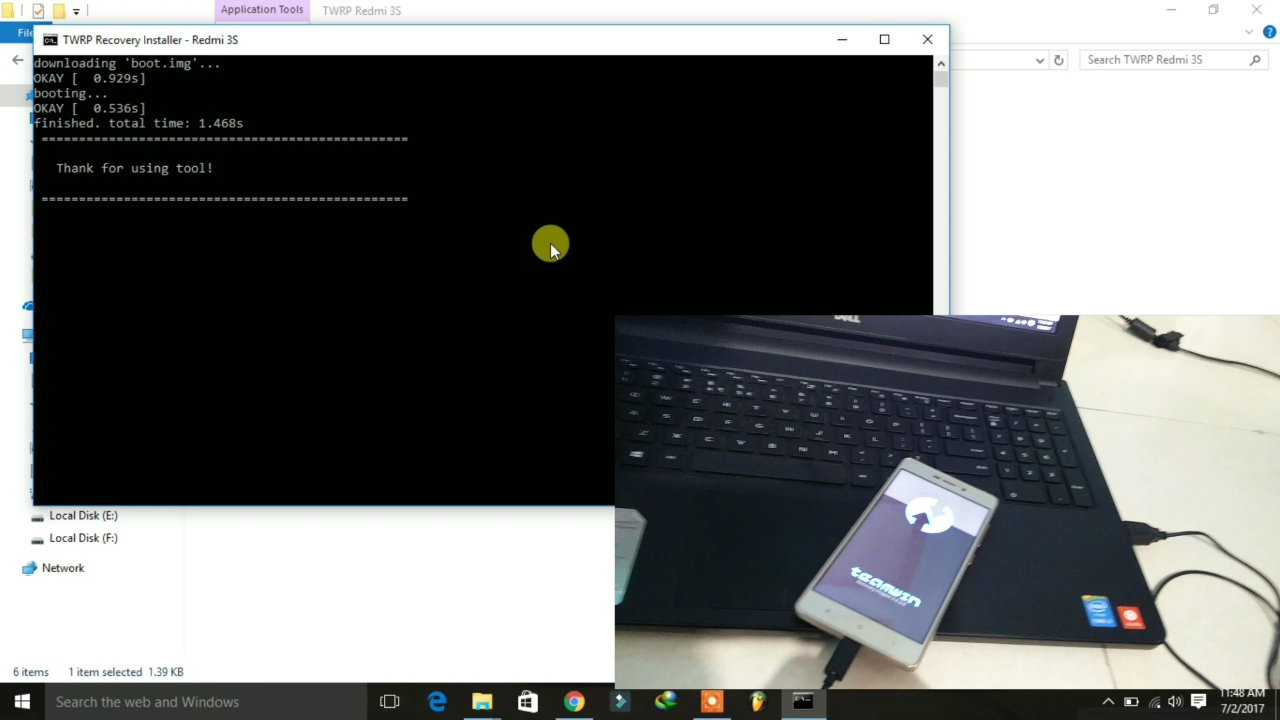
12. Now you will this fist scren so swipe it.

13. Now don't disconnect your phone. Now we root our phone. Now coppy your "Supersu. Zip file into your phone memory.
14. Now take your phone and tap on install section and select your supersu.zip file and flash it. It will take some time to flash so wait.
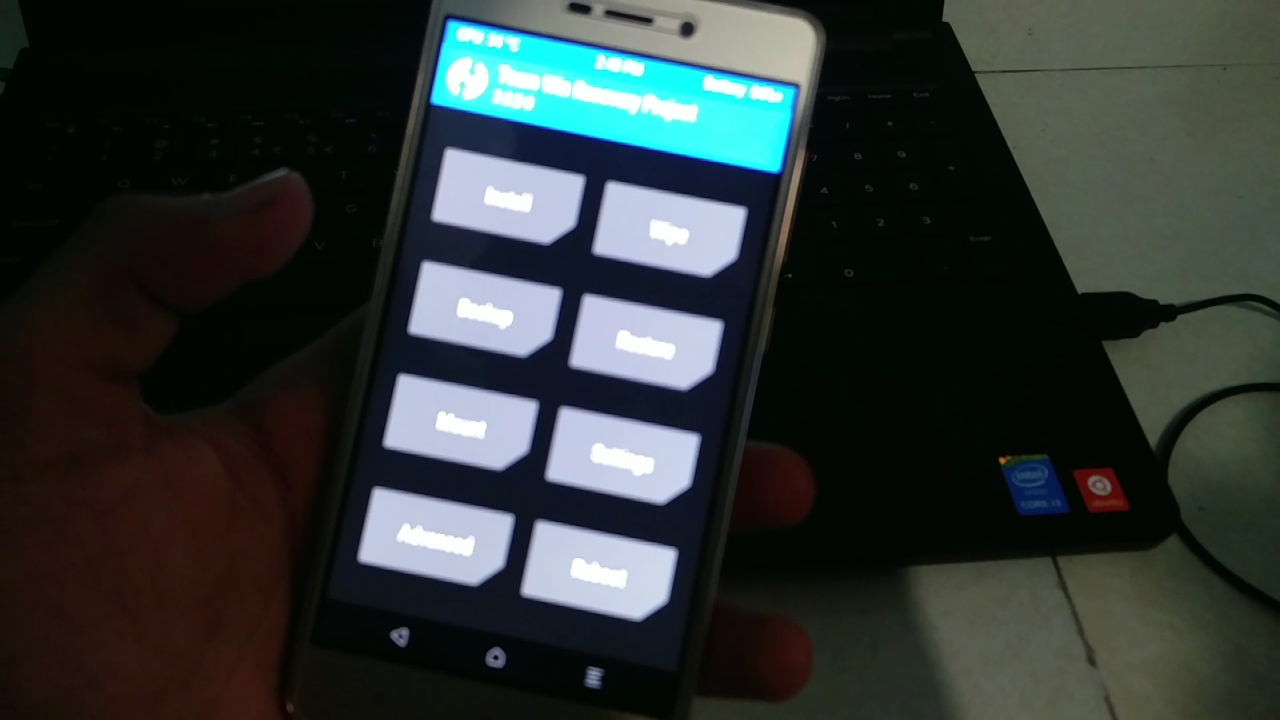


15. Now you will see like this. Don't reboot your system. Now Go back 2 times or go to home of your TWRP recovery. And click on "advanced" then click on "Dm verify" and swipe it. If you not do this then your phone will not boot. So do this step.


16. Now click on Reboot System" Done, now your phone boot fine it will take time up to 10 to - 15 minutes so wait. After that your Redmi 3S/Prime/3X sucrosefully Rooted & TWRP Recovery installed.
ABOUT ME :
I Make Tech Videos Based Around SmartPhones especially Android Devices
Easy To Use Tutorials,Cool Android Tips & Tricks,Games & Apps Reviews.I Also show case interesting accessories & Gadgets
So what are you waiting for S-U-B-S-C-R-I-B-E and Join the best Android Tips and Hacks Channel On Youtube
Mahesh Technicals
Download Links :
1. TWRP Redmi 3S zip file.
LINK - 1:
LINK - 2:
2. Supersu . zip
LINK - 1:
LINK - 2:
3. ADB/Fastboot drivers setup (Additional If your phone not detect by PC):
LINK - 1:
LINK - 2:
Thanks For Reading How To Install TWRP Recovery On Redmi 3S/Prime/3X.
By - Mahesh Technicals